Skip to content

We use cookies to improve your experience on our website. See our privacy policy.

  • Games
  • Guides
  • Support
  • Webcams
  • Pricing
    • Get Started
    • Extensions
    • Developers
    • Affiliates
    • Blog
Account Steam TRY RISK-FREE
  • Games
  • Guides
  • Support
  • Webcams
  • Pricing
    • Get Started
    • Extensions
    • Developers
    • Affiliates
    • Blog
    • Standalone · Account
    • Steam
TRY RISK-FREE

Eye tracking SDK to build your own eye tracking
enabled PC solutions

Eye tracking SDK to build your own eye tracking enabled PC solutions

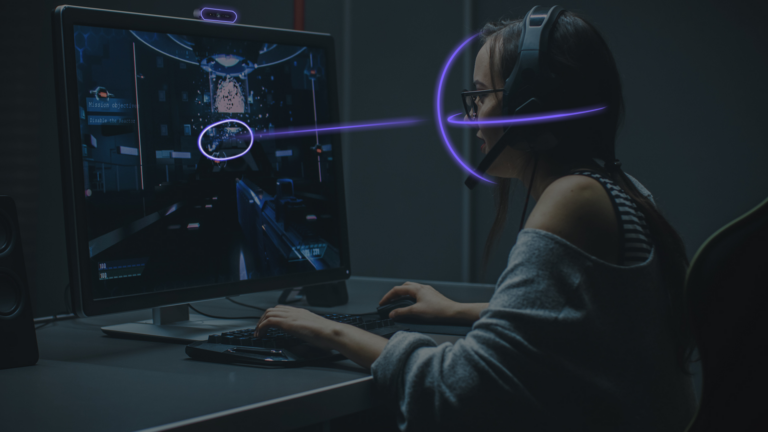
Turn webcams and smartphones into cost-effective eye trackers for your app and access an unlimited user base

Download Beam SDK
Learn more about the Beam SDK

Advantages

Unlimited Reach

Unlock a massive potential user base since anyone with a webcam or phone is a potential user.

Reliable

High tracking accuracy and robustness using general purpose cameras.

Affordable

No dependency on proprietary hardware. Benefit from our existing user base and help expand it further through your game integration or extension.

Easy Setup

Streamlined onboarding. Get started within minutes.

Use cases

Create your own immersive game experiences, interactions or accessibility solutions for PC on top of the Beam Eye Tracker. Share your solution with us and we will help promote it to our expanding global user base.

Gaming Extensions for Beam Eye Tracker

Gaming

Add head and eye tracking to your PC game and increase immersiveness and player engagement.

Beam SDK for accessibility

Accessibility

Build your own accessibility solution using Beam as your augmentative and alternative communication (AAC) device.

Beam SDK for academic research

Academic Research

Add head and eye tracking to your academic research project to uncover hidden behavior in user research, psychological studies and more.

Download the SDK now

Download Beam SDK

by clicking on "Download Beam SDK", you agree to the SDK licensing terms and the Beam Terms of Use

Quick Start

The Beam Eye Tracker SDK is a development kit that uses head and eye tracking data from the Beam Eye Tracker to enhance immersion and performance in video games. It supports integration with Unity, Python, C#, C++ and C.

Unity
Python
C#
C++
C
Documentation
Beam Eye Tracker icon

Eye tracking API

Use the API to develop a wide range of applications, from games, gaming tools, accessibility solutions to intuitive interfaces and UX research tools.

Tracking Performance Specification

  • Accuracy*: 1.5°
  • Sampling rate**: Hardware-limited
  • Head tracking: 6 degrees of freedom
  • Gaze vector: 3D origin and direction of left and right eyes
  • Screen Gaze Point: 2D point of regard on a screen (incl. multiple screens)
  • Operating Distance: 30-80cm/16-31”
  • Tracking Box: 40x30cm/16×12” at 65cm/26”
  • Max. recommended screen size***: 30''
*Ideal conditions. Gaze accuracy decreases towards the edges of the screen and especially for larger screens.
** Sampling rate restricted by processing hardware and sensor sampling rate.
*** Larger than 30'' screens will reduce the performance gradually.
Download Beam SDK

Turn your webcam into a general purpose eye tracker

Tell us about your application and let's co-promote your app with Beam!
01
Get the Beam Eye Tracker
Download for Windows button
02
Download and integrate the SDK into your app
by clicking on "Download Beam SDK", you agree to the SDK licensing terms and the Beam Terms of Use
Download SDK
03
Contact us to co-promote your app
Beam Eye Tracker - Badge for Supported Extensions

As seen on

AppleInsider logo
Engadget logo
Gaming Trend logo
WePC logo

FAQ

What is an eye and head tracking enabled PC application?
An eye and head tracking enabled PC application is an app in which the software can react to head movements, eye movements, or more specifically, where the user is looking at any given time. This includes applications in which the content changes according to the gaze, a vtubing avatar is controlled with your natural head and eye movements, a window can be selected with your eyes, an NPC (non-playing character) reacts when you are looking at them, or even applications that are used to research user experience. The possibilities are endless.
Can I distribute my eye and head tracking enabled application to my end users?
Yes. You may distribute the eye and head tracking enabled app(s) that you have built with the Eyeware Beam SDK license. End-users must have the iOS Eyeware Beam app installed and running with an active subscription to use these functionalities that are integrated within your app.
Do you offer support?

Yes. Our support team is here for you, from Monday to Friday, between 9 am – 5 pm (Central Eastern European Time). We offer timely replies so that you can focus on building your product.

I am interested in conducting eye-tracking studies. Can I record and analyze data with the Beam SDK for that purpose?
Yes. Please let us know if you publish a study with it. We would love to promote it. Please keep in mind that you may not collect data to reverse engineer or replicate Eyeware Beam (e.g. training an AI). That is a breach of license.
View more
What data is available through the API?

The most up-to-date list can be found on the API documentation page, in particular, what is accessible through the `TrackerClient`.

Can I see an example of the API data output?

Yes, please check out the Getting Started section of the documentation, subsection Output.

Need help?

Discord

Talk to our developers and community.

Your question might already be answered in a recent community thread

Contact Us

[email protected]
Please allow extra time on weekends and holidays

  • Discord
  • Steam
  • Reddit
  • YouTube
  • Twitter
  • Instagram
  • Facebook
  • TikTok
English
  • English
  • Deutsch
  • Español
  • Français
  • Italiano
  • Polski
  • Português
  • Русский
  • 日本語
  • 한국어
  • 简体中文
  • 繁體中文

© Eyeware Tech SA  |  Terms  |  Privacy  |   Swiss Flag  Swiss Software