
Community Profiles make it easier to get started with the Immersive Camera. Browse and download settings shared by other players through the Steam Workshop. Available on both Steam and Standalone.Requires v2.5.8 or newer.
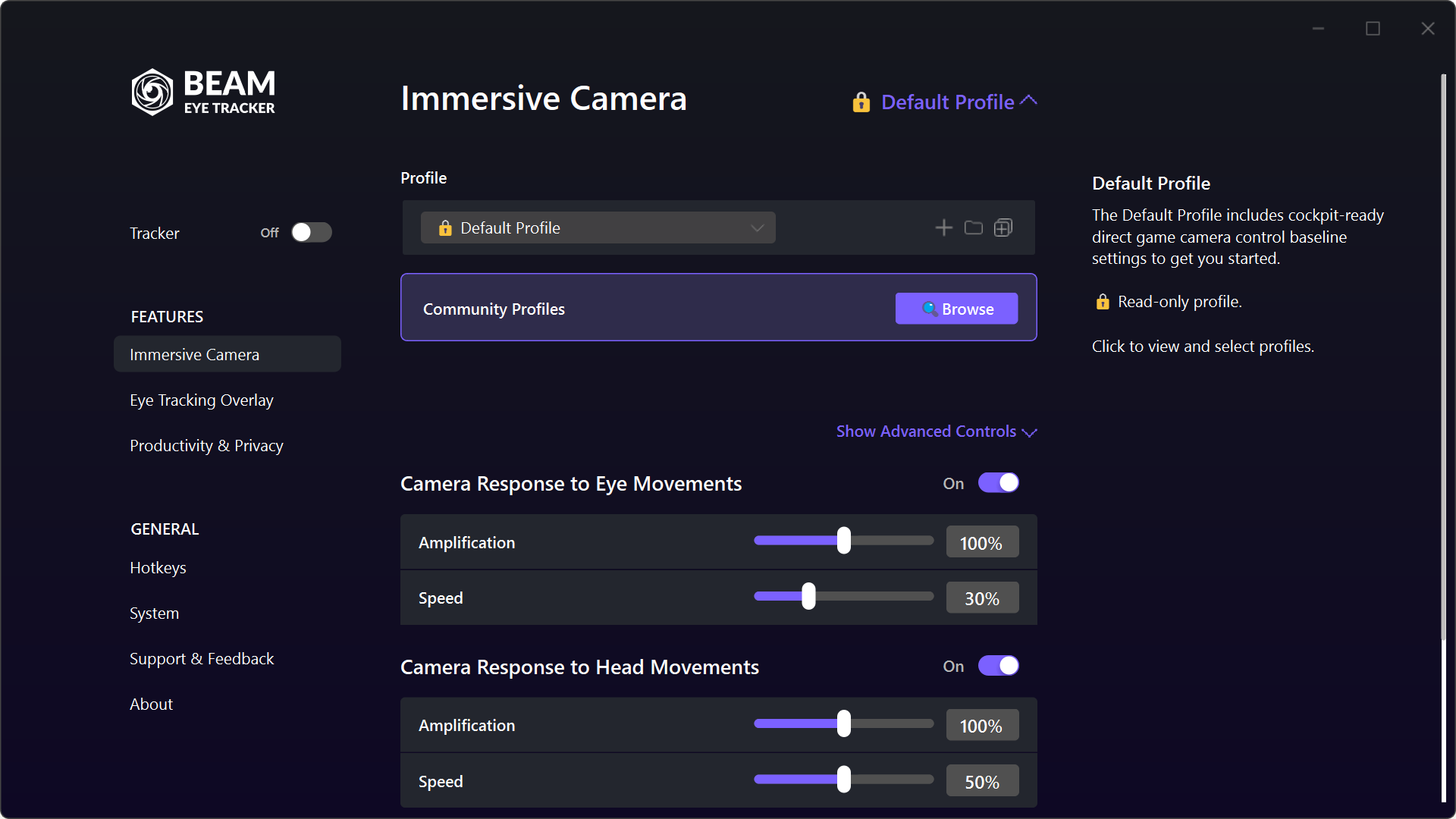
Default Profile
When you first open the Immersive Camera, you start on the Default Profile. This is a balanced, cockpit-ready preset with both eye tracking and head tracking enabled. It's read-only, so you can't accidentally break it. You can always come back to it as your baseline.
Demo Profiles
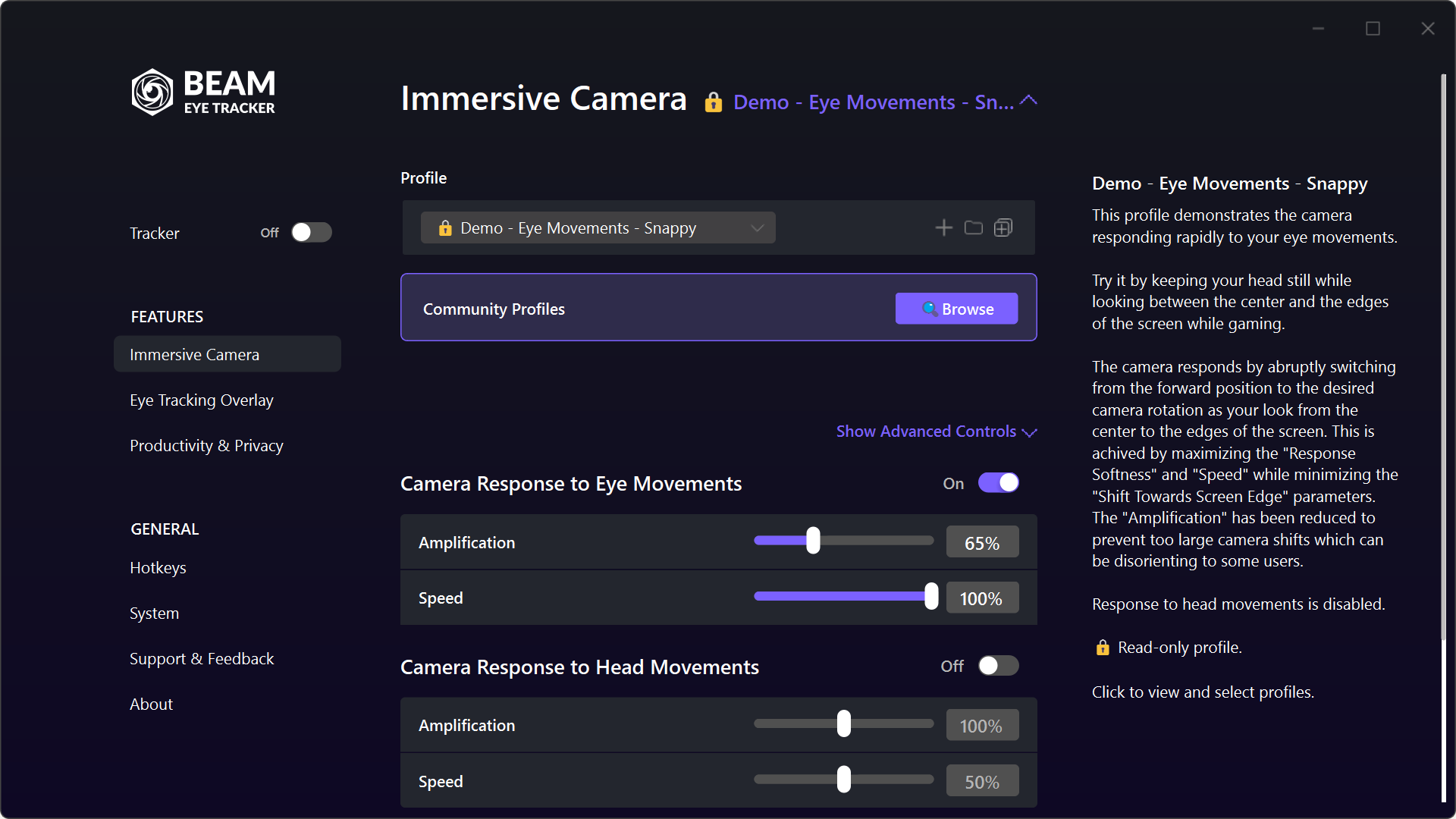
Four profiles designed to teach you what the Beam Eye Tracker can do. Each one isolates either eye tracking or head tracking so you can feel the difference.
Head Movements - Fast: The camera reacts quickly to every head turn. Good in combat sims.
Eye Movements - Smooth: Continuous response to where you're looking. No sudden jumps.
Eye Movements - Snappy: The camera snaps to position when your eyes move toward the edges.
Each demo profile disables the other input type. That's intentional. It helps you explore what eye tracking and head tracking each do on their own, before you combine them.
Advanced Controls
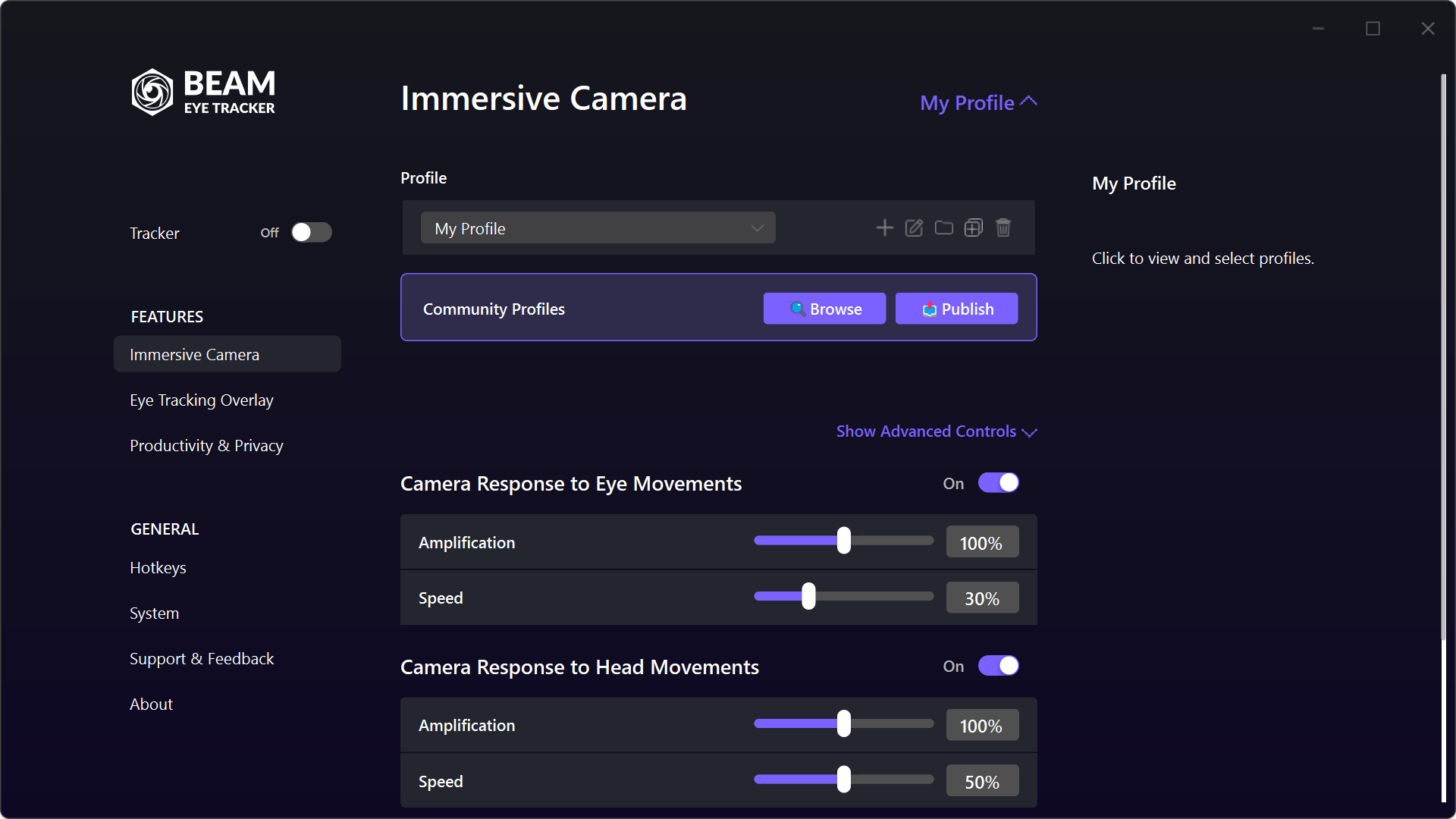
Once you've tried the demos, use the Default Profile as a base and create a fully editable copy. You've got the global controls up top for Amplification and Speed. Click Show Advanced Controls to fine-tune each degree of freedom.
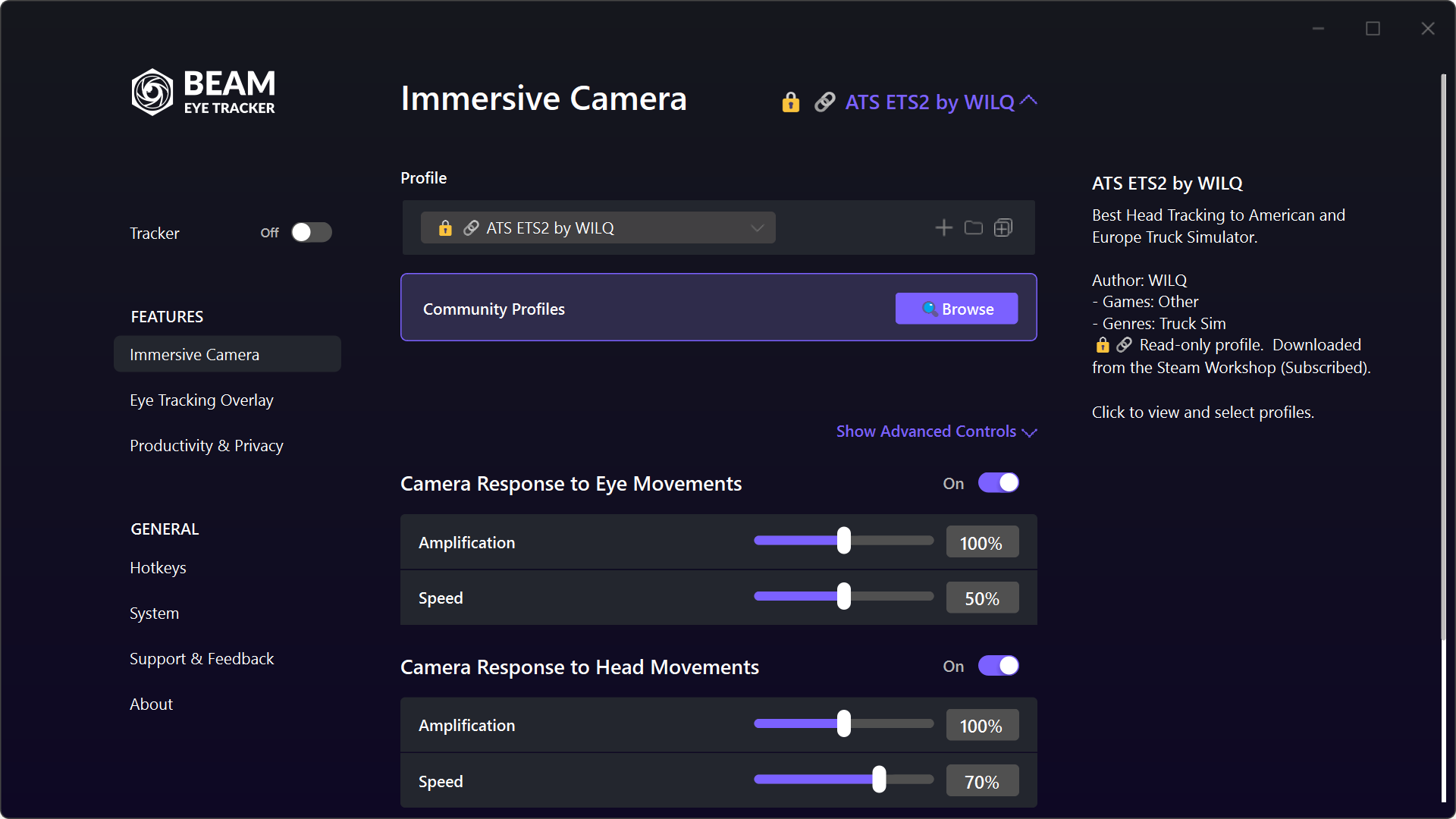
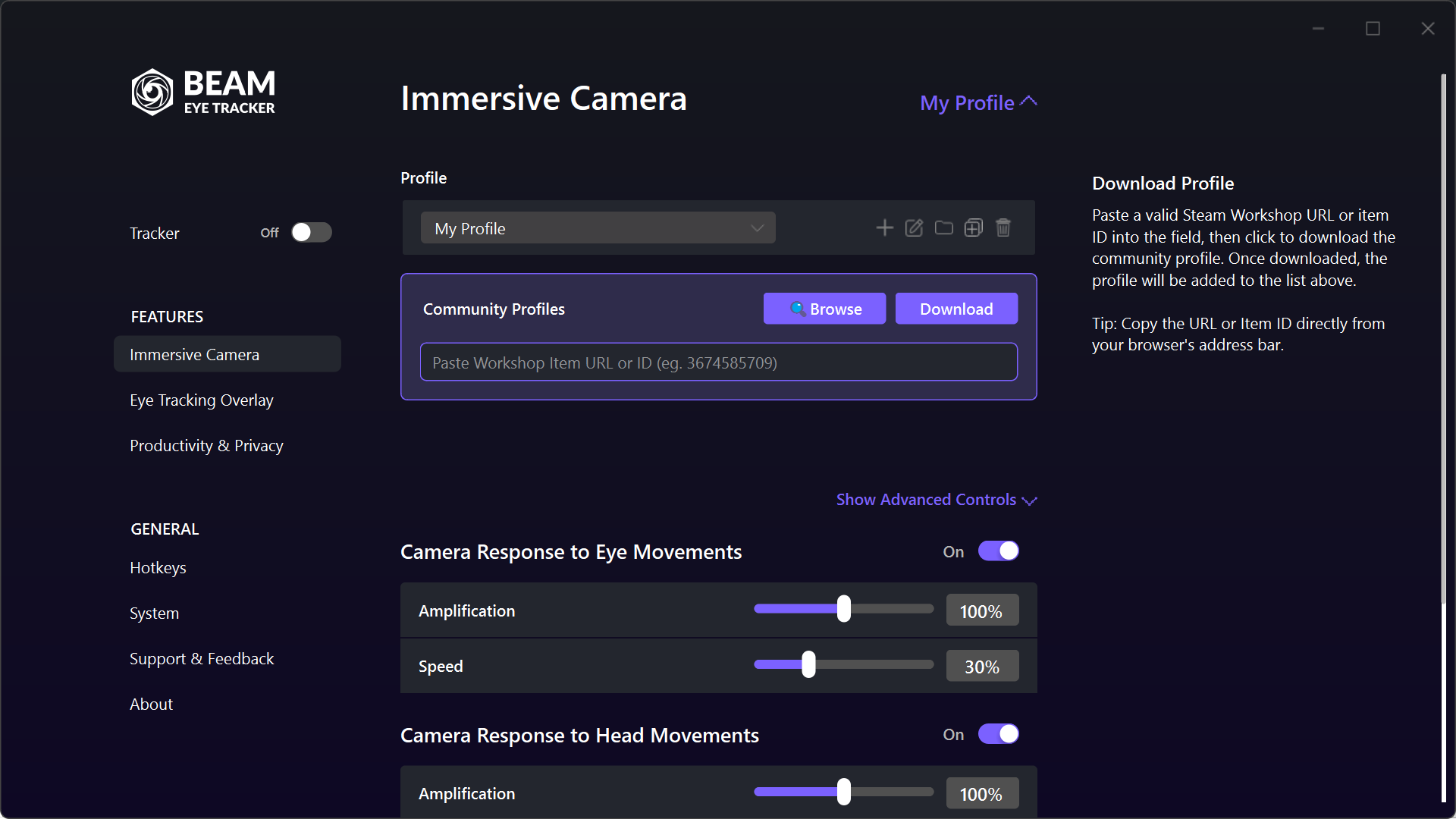
Browse & Subscribe / Download
Click Browse and it opens the Steam Workshop. Here you'll find profiles shared by other players and creators. Flight sim, racing sim, truck sim profiles. Benefit from members who have already dialed things in for specific games.
On Standalone: Click Browse and the Workshop opens in your web browser. Find a profile you like, copy the URL or item ID, paste it into the field in the app, and click Download. Same profiles, just a slightly different flow.
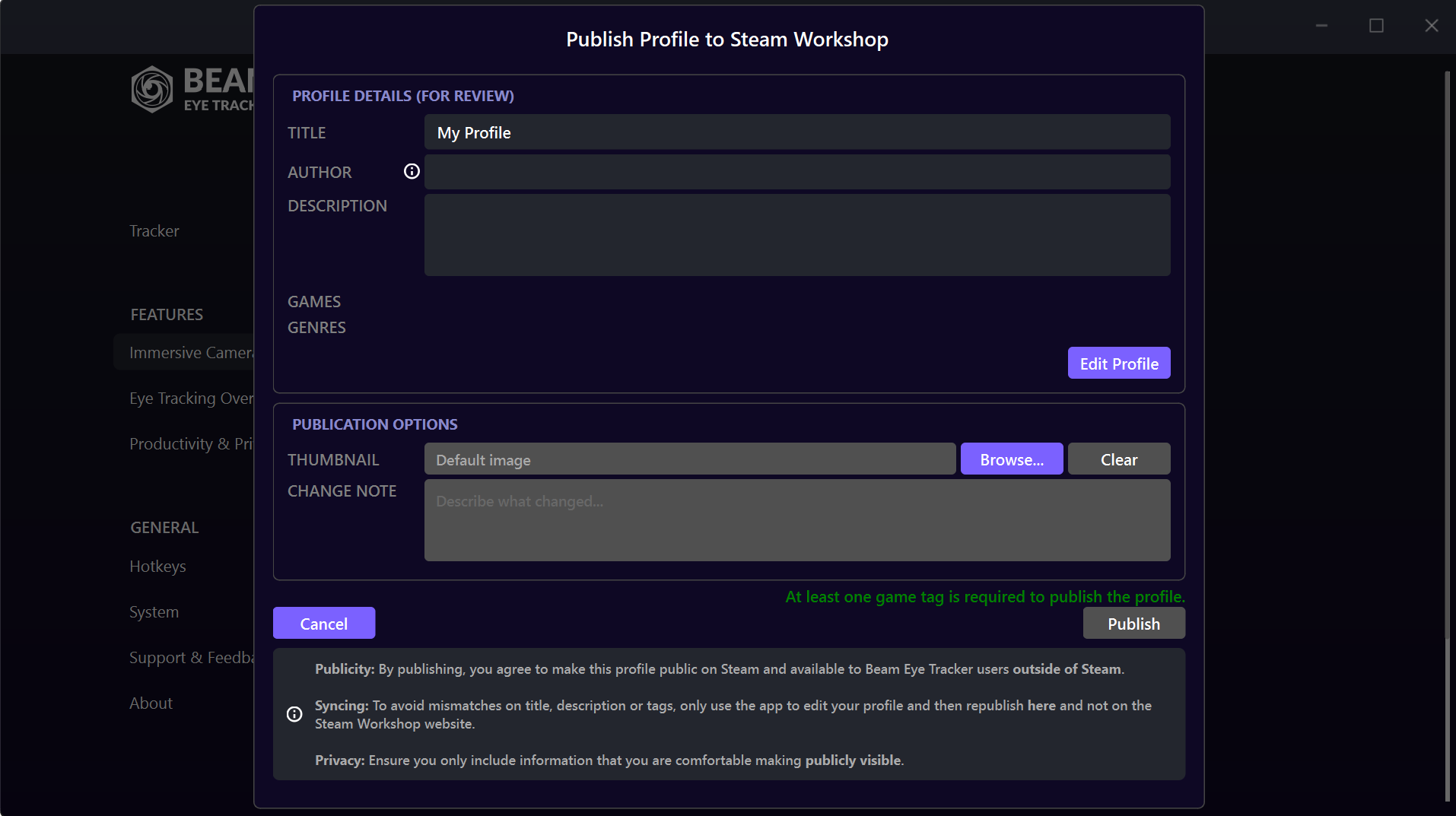
Publish Your Profile (Steam)
If you're on Steam and you've found settings that work great for a specific game, you can publish it to the Workshop for others to see. Click Publish to share your profile on the Workshop.
On Standalone: Publishing is not available, but if it's important to you, say as a creator to support your audience, contact us and we'll sort you out. We also offer support in switching versions for a limited period.